PicoGym Web Exploitation Writeup | Scavenger Hunt | Easy | PicoCTF
easy ctf picoctf web easy-web easy-picoctf-web easy-picoctf picoctf-web
PicoGym Web Exploitation Writeup | Scavenger Hunt | Easy | PicoCTF
Originally posted on my Medium page.
Hello…!
In this challenge, we’re asked to explore a website and find hidden pieces of a flag — just like a scavenger hunt! The title hints that different parts of the flag might be hidden in various places on the site, like in the page’s source code, linked files, or other hidden areas.
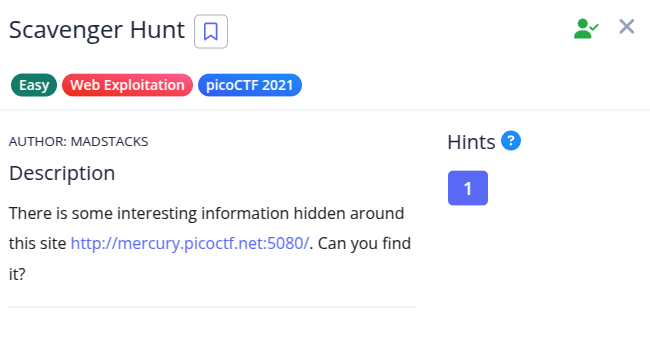
After launching the instance, we get a link to a website.
Click on the link to open the page.
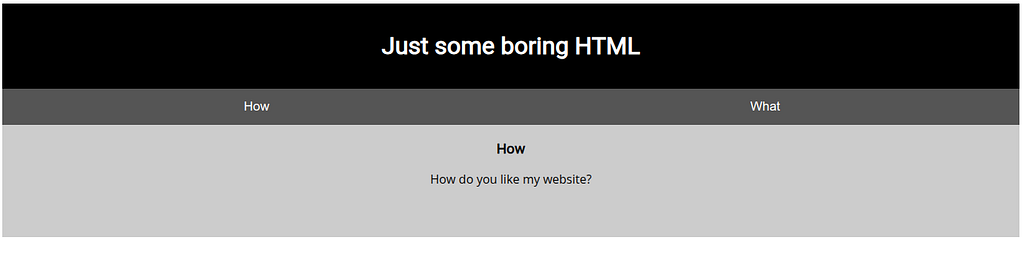
Right-click on the page and select ‘View Page Source’ or press Ctrl + U.
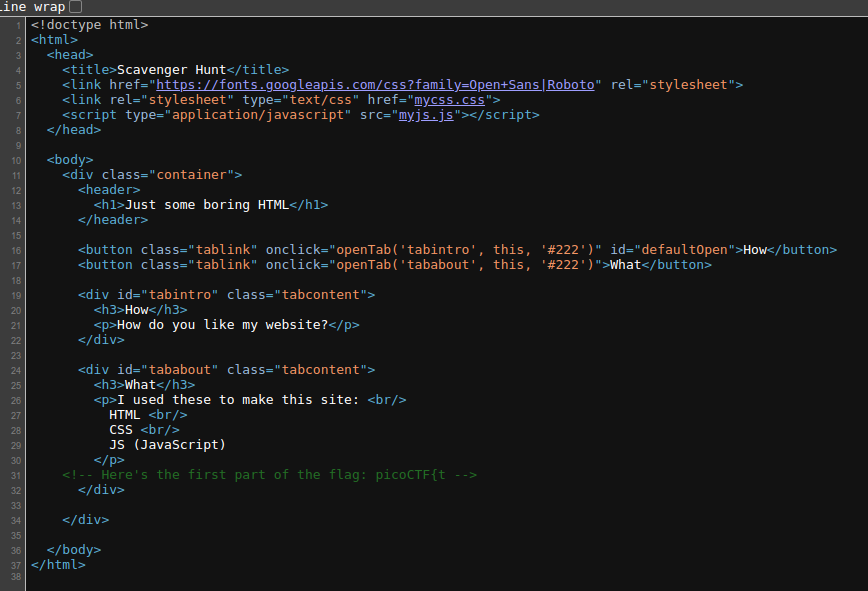
Here, we see two files linked: mycss.css and myjs.js, along with the first part of the flag:
picoCTF{t
Next, go to the URL:http://mercury.picoctf.net:5080/mycss.css
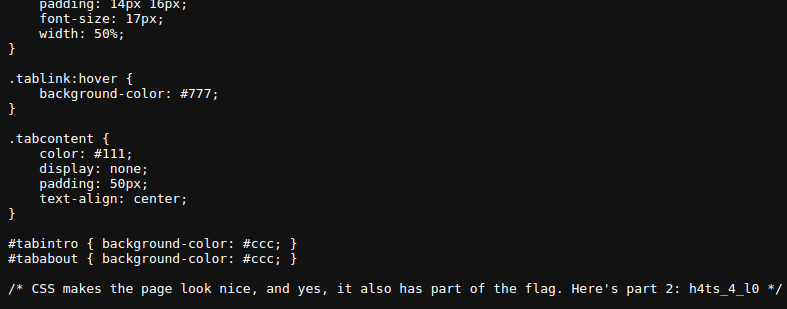
Here, we find the second part of the flag:
h4ts_4_l0
Now, open myjs.js file: http://mercury.picoctf.net:5080/myjs.js
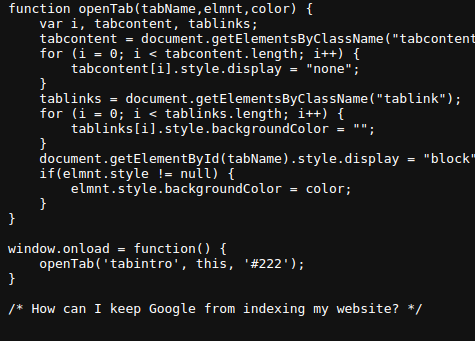
This file asks a question:
“How can I keep Google from indexing my website?”
✅ The answer is robots.txt — a file used to tell search engines which parts of your website they should or shouldn’t index.
Go to: http://mercury.picoctf.net:5080/robots.txt
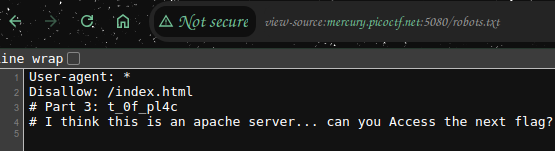
Here, we get the third part of the flag:
t_0f_pl4c
And a hint:
“I think this is an Apache server… can you Access the next flag?”
On Apache servers, .htaccess is a configuration file often used to control website settings and access rules.
Visit: http://mercury.picoctf.net:5080/.htaccess
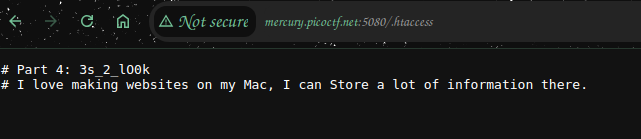
This reveals the fourth part of the flag:
3s_2_lO0k
And another hint, ‘I love making websites on my Mac, I can Store a lot of information there.’
On Mac systems, .DS_Store files save folder information. Sometimes they appear on web servers if not removed.
Visit:
http://mercury.picoctf.net:5080/.DS_Store

Here’s the final part of the flag:
_35844447}
Now, combine all five parts,
The flag is: picoCTF{th4ts_4_l0t_0f_pl4c3s_2_lO0k_35844447}
📖 Want more CTF and OSINT writeups like this? Check out my Medium page here.